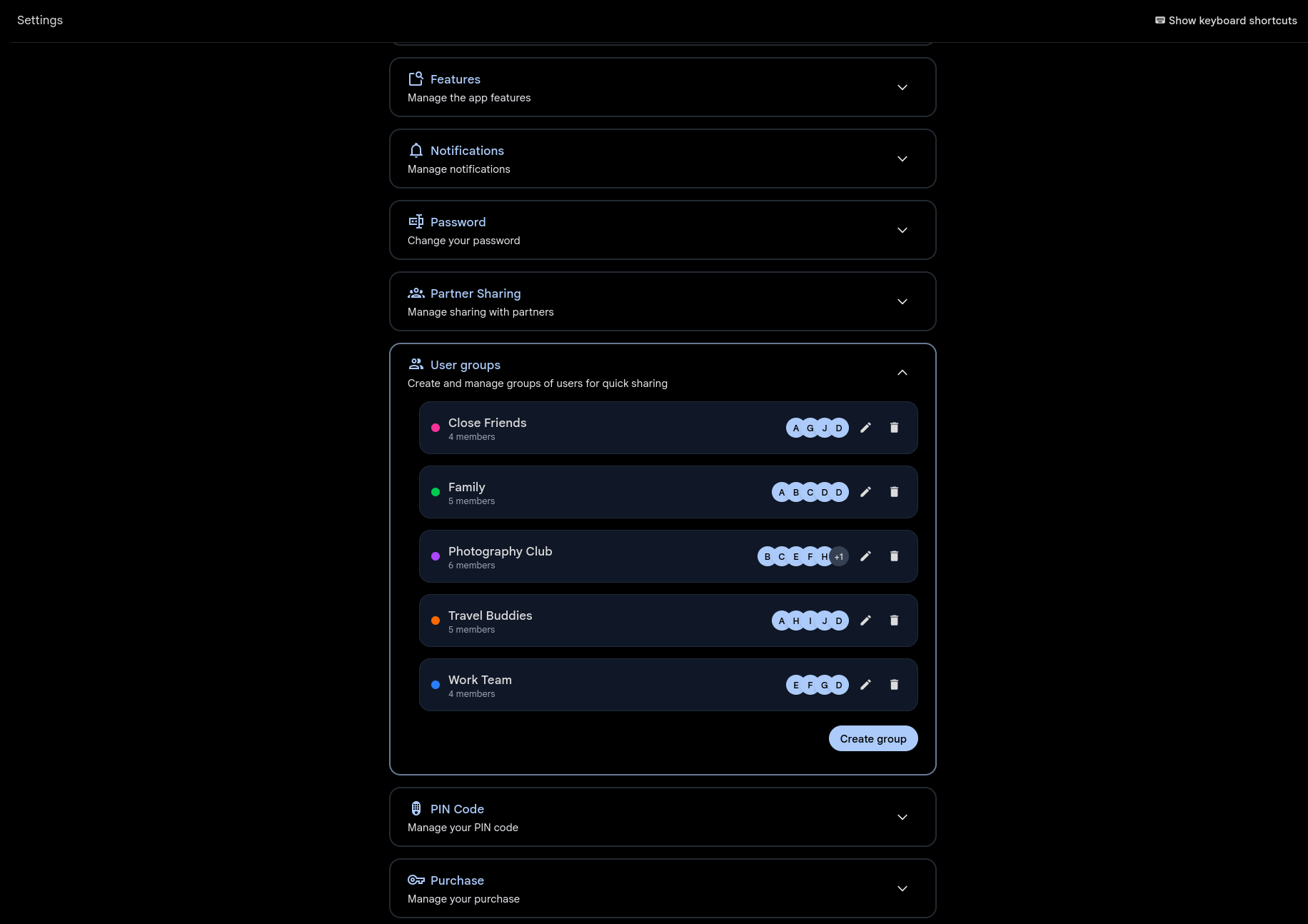
Features / User Groups

User Groups

Create named, color-coded groups for one-click sharing. Select an entire group when inviting to Spaces or sharing albums.

collaborationsharing Documentation
User Groups settings showing color-coded groups with member avatars

Share with everyone at once

Create groups for the people you share with most — family, friends, colleagues. Give each group a name and a color so they're easy to spot in sharing dialogs.

When you create a new Space or share an album, pick a group instead of adding people one by one. Everyone in the group gets access instantly. Add or remove members later and permissions update automatically.
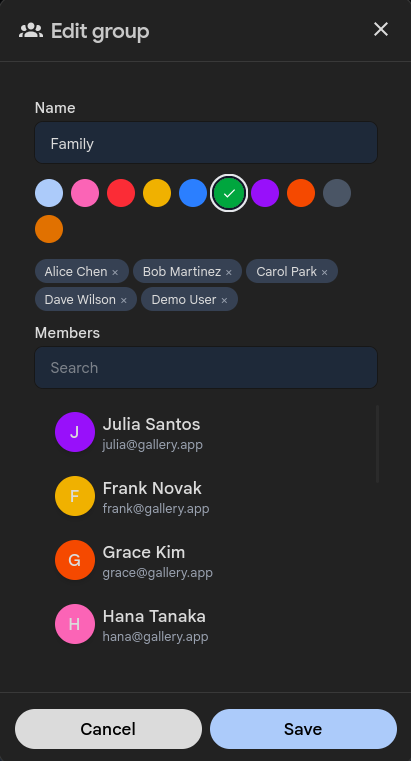
Edit group dialog with color picker and member management
Read the full documentation on GitHub

See User Groups in action or set up your own instance.