Your photos deserve
a better home.
Noodle Gallery is a self-hosted photo and video platform with AI-powered search, face recognition, shared family spaces, and cloud storage — all under your control.
Shipping daily
Auto-Classification
Mar 28Video Trimming
Mar 27Map Filtering
Mar 26Video Duplicate Detection
Mar 25Smart Search & Contextual Filters
Mar 25Always in sync with Immich
Gallery regularly rebases onto upstream Immich — every bug fix, performance improvement, and new feature lands in Gallery too.
What sets Gallery apart
Everything in Immich, plus features you won't find anywhere else.
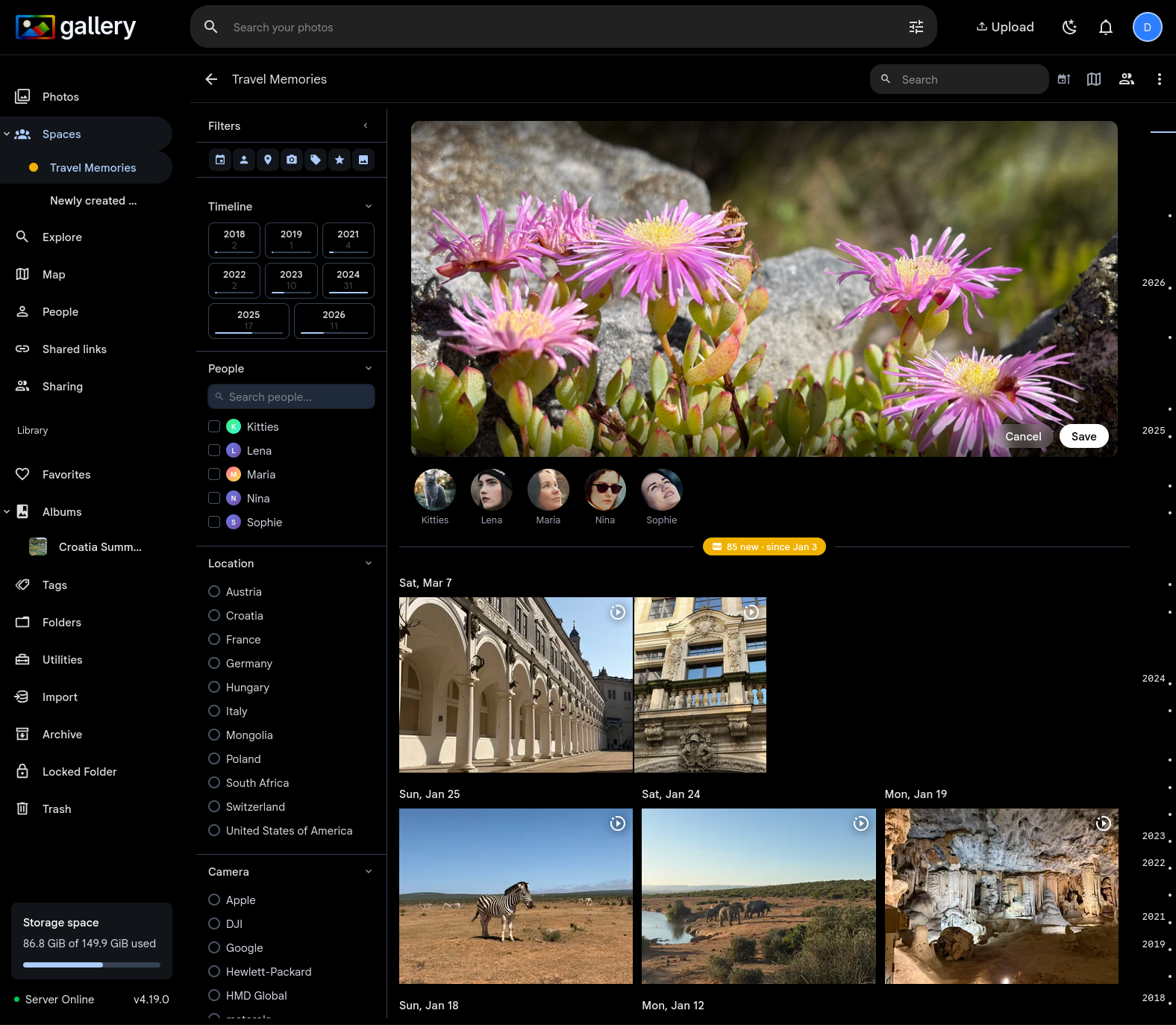
Shared Spaces
Collaborative photo libraries for families and groups. Role-based access, shared timelines, cover photos, activity feeds, and shared face recognition.
Smart Search & Filters
Search inside Spaces with CLIP, and filter by people, location, camera, tags, and date. Suggestions adapt to what you've already selected.
Video Trimming
Trim videos in the browser with a timeline scrubber. FFmpeg stream copy means instant, lossless results. Re-trim or restore the original at any time.
Map Filtering
Filter your map view by people, camera, tags, rating, favorites, and date. The same powerful filter panel, now on the map.
Pet Detection
AI-powered detection using YOLO11. Dogs, cats, birds, horses, and more appear alongside people in your library. Rename, merge, and browse.
S3-Compatible Storage
Store photos on AWS S3, MinIO, Cloudflare R2, Backblaze B2, or Wasabi. Presigned URLs, redirect or proxy serving, disk-to-S3 migration.
Already using Immich?
Gallery is a drop-in replacement. Same Docker Compose structure, same database, same mobile apps. Swap the container image and you're running Gallery — your data stays exactly where it is. Zero risk.
See migration guide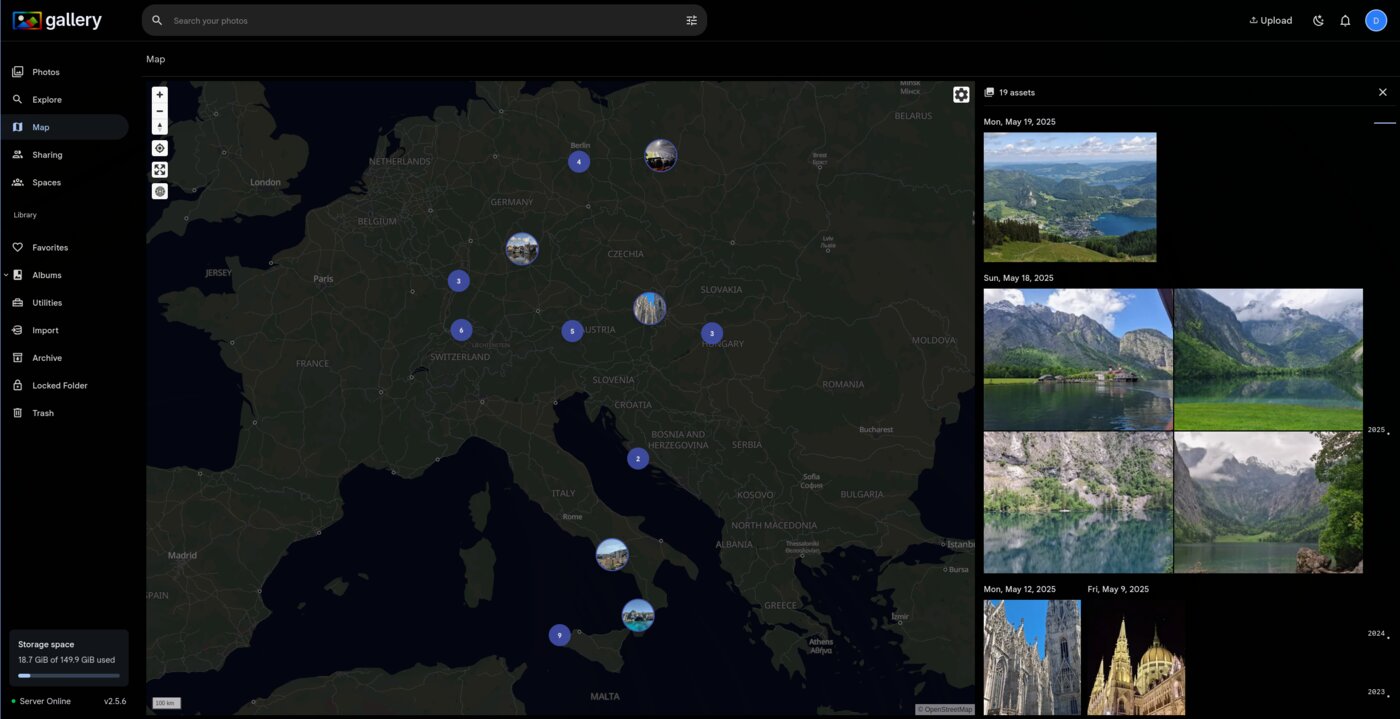
Everything you need
A complete Google Photos alternative you run on your own hardware.
Photo & Video Timeline
Browse your entire library organized by date. Smooth scrolling through years of memories with instant thumbnail loading.
Smart Search
Find photos by what's in them — search "sunset at the beach" or "birthday cake" using AI-powered CLIP embeddings.
Face Recognition
Automatically groups photos by person. Name your family and friends, then find every photo they appear in.
Map View
See where your photos were taken on an interactive map. Explore memories by location anywhere in the world.
Mobile Apps
Native iOS and Android apps with automatic background upload. Available now on GitHub — App Store listing coming soon.
Sharing & Albums
Create albums, share links with anyone, and collaborate with other users. Control exactly who sees what.
Migrating from Google Photos?
Gallery has a built-in import wizard that reads your Google Takeout archive. Dates, GPS coordinates, descriptions, favorites, and album structure are all preserved. No scripts, no CLI — just upload the zip in your browser.
See it in the demo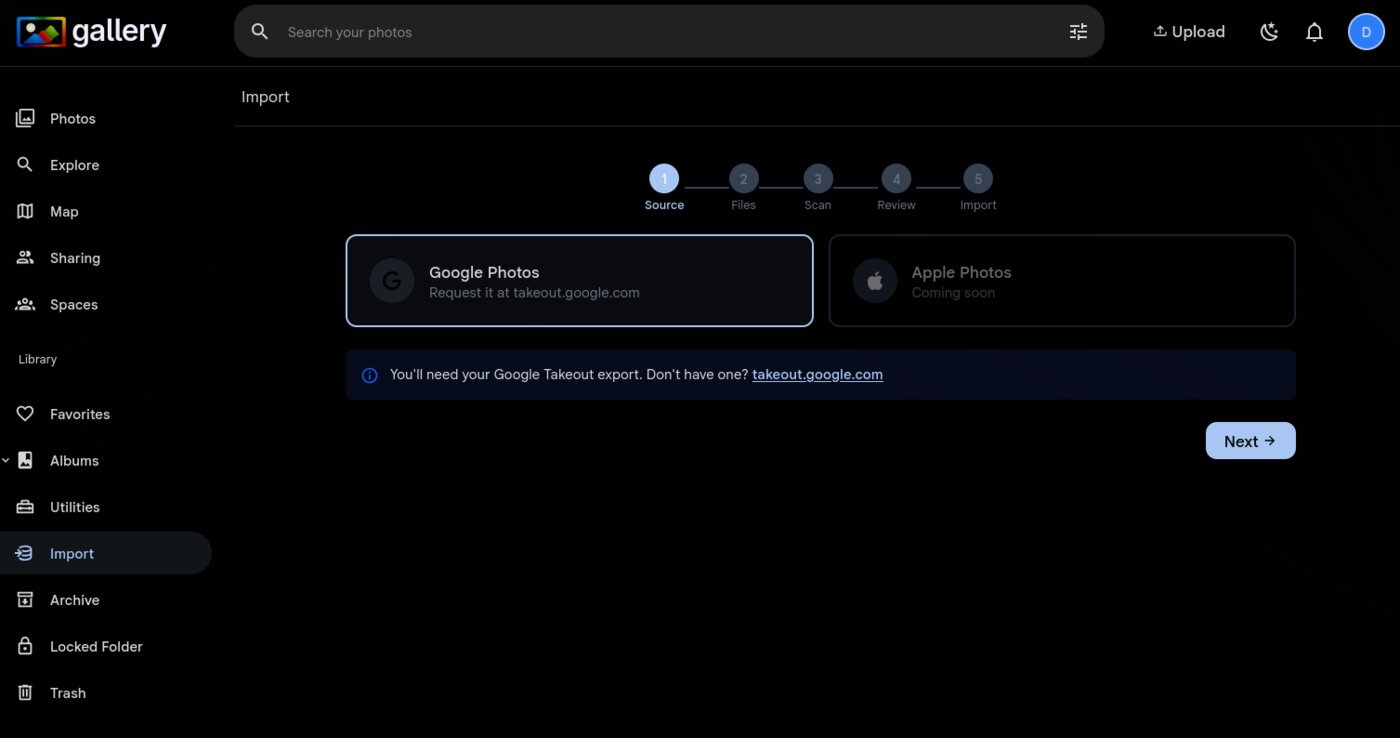
Up and running in minutes
One Docker Compose file. No complex setup required.
services:
  gallery-server:
    image: ghcr.io/open-noodle/gallery-server:release
    volumes:
      - /path/to/photos:/usr/src/app/upload
    env_file:
      - .env
    ports:
      - "2283:2283"
    depends_on:
      - redis
      - database

  gallery-ml:
    image: ghcr.io/open-noodle/gallery-ml:release

  redis:
    image: redis:7-alpine

  database:
    image: tensorchord/pgvecto-rs:pg16-v0.4.0
See the full installation guide for step-by-step instructions.
Why self-host your photos?
No company can scan, train AI on, or delete your photos. You own every byte.
No monthly fees, no storage limits, no price hikes. Run it on hardware you already have.
Cloud services shut down. Your server doesn't. Your memories stay accessible forever.
Join the community
Get help, share your setup, and shape the roadmap.