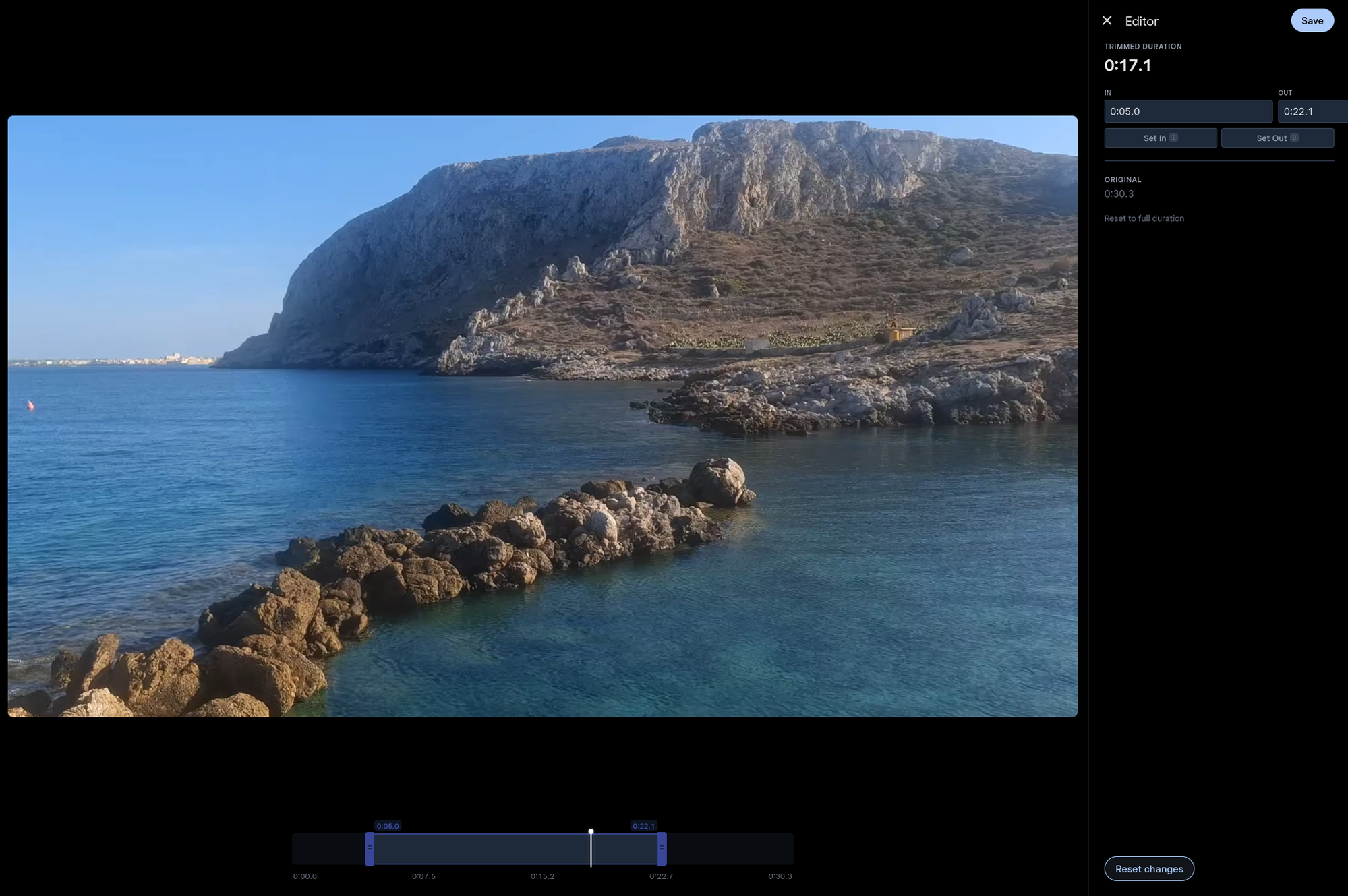
Cut the fluff, keep the moment
Open any video in the editor and drag the in/out handles to select the part you want to keep. Hit save and the trimmed version is ready in seconds — no re-encoding, no waiting for a progress bar.
Gallery uses FFmpeg stream copy under the hood, which means the video and audio data are copied directly without re-encoding. The result is identical quality to the original, at near-instant speed regardless of video length.
Non-destructive and reversible
Like photo edits, video trims never touch your original file. The original is always preserved, and you can re-open the editor to adjust the trim range or restore the full video at any time.
The timeline shows the full original duration even after trimming, so you can widen a previous trim back toward the original — you're never locked into a shorter cut.
Keyboard-first workflow
Play the video and press I to mark the in point, O for the out point. Space toggles playback, looping within the trimmed region so you can preview exactly what you'll get before saving.