Features / Image Editing

Image Editing

Quick-rotate, crop, and adjust your photos without leaving the gallery. Non-destructive edits with automatic thumbnail refresh.

non-destructivebatch Documentation
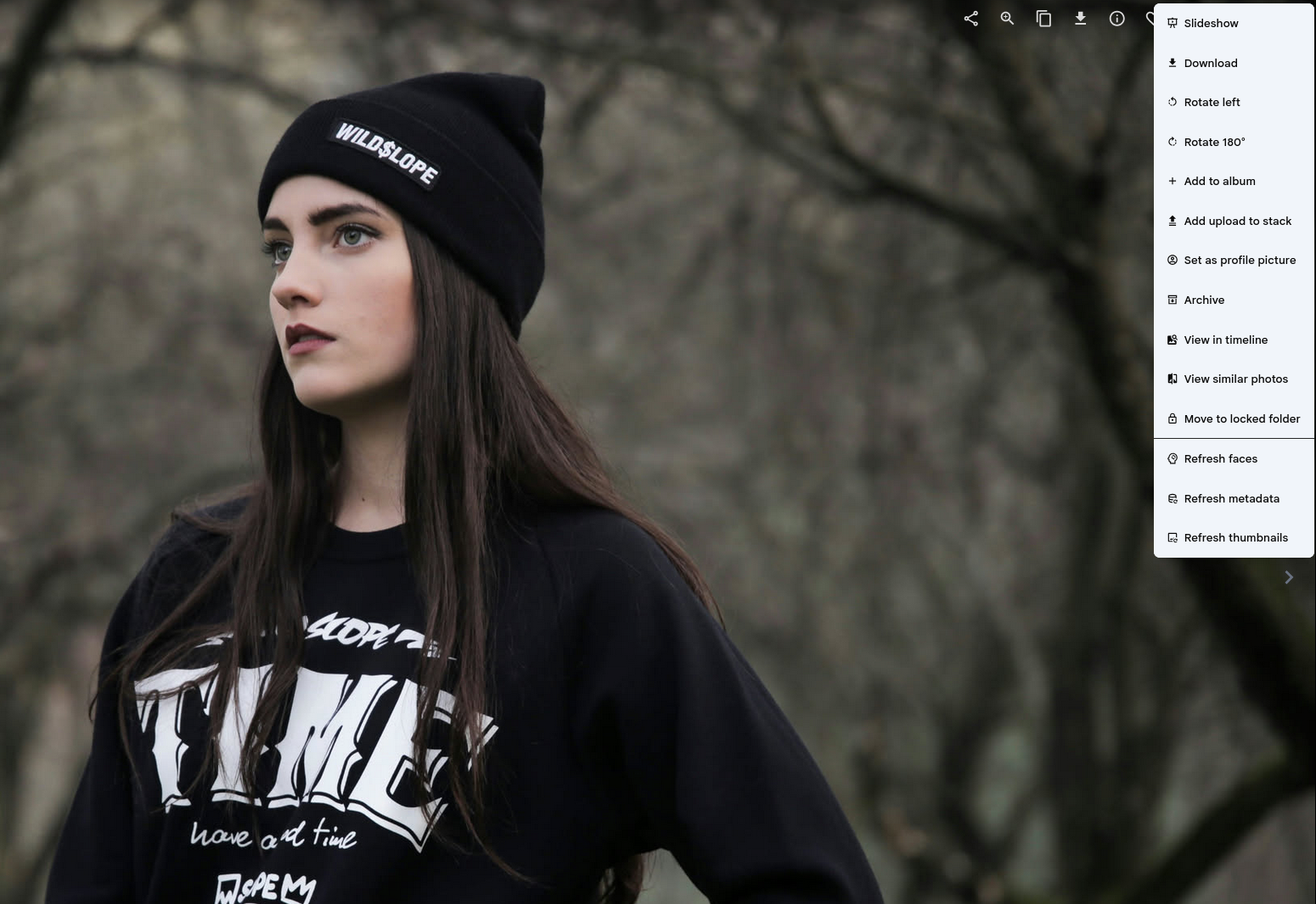
Photo viewer with rotate and edit options in the context menu

Edit without the overhead

Rotate photos directly from the toolbar — no need to open a separate editor or leave your timeline. One click to straighten a crooked shot, another to flip it. Thumbnails update automatically.

Need to fix a whole batch? Select multiple photos and apply the same rotation to all of them at once. Cumulative edits stack cleanly, so you can fine-tune without starting over.
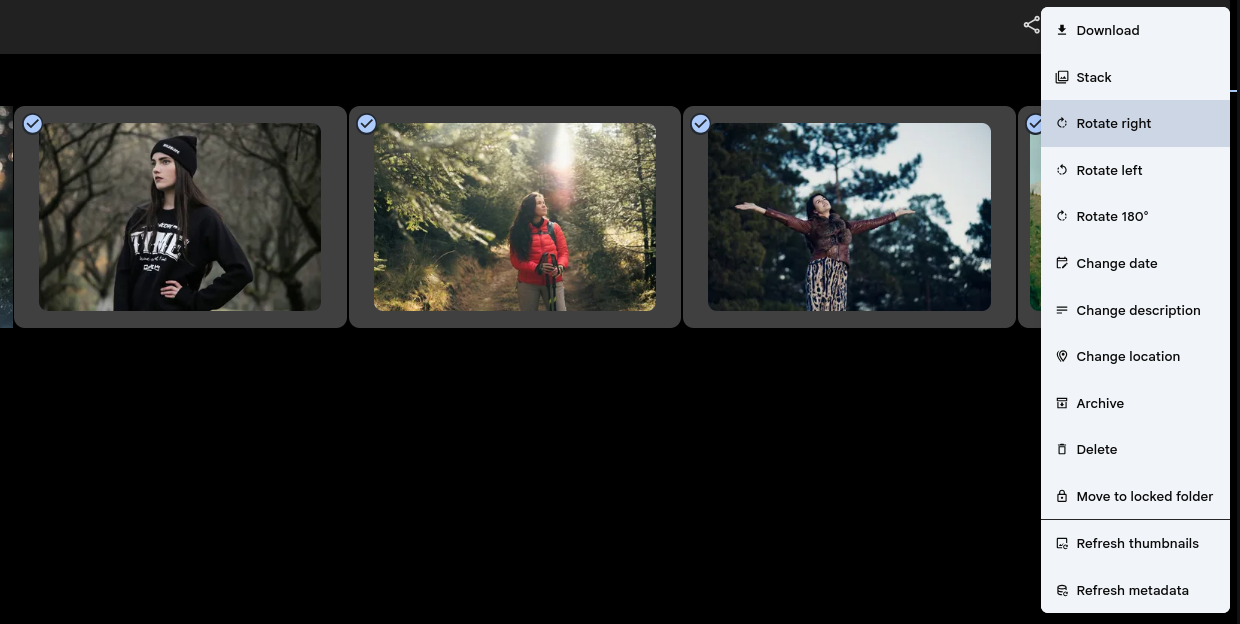
Batch photo selection with rotate and edit options
Read the full documentation on GitHub

See Image Editing in action or set up your own instance.