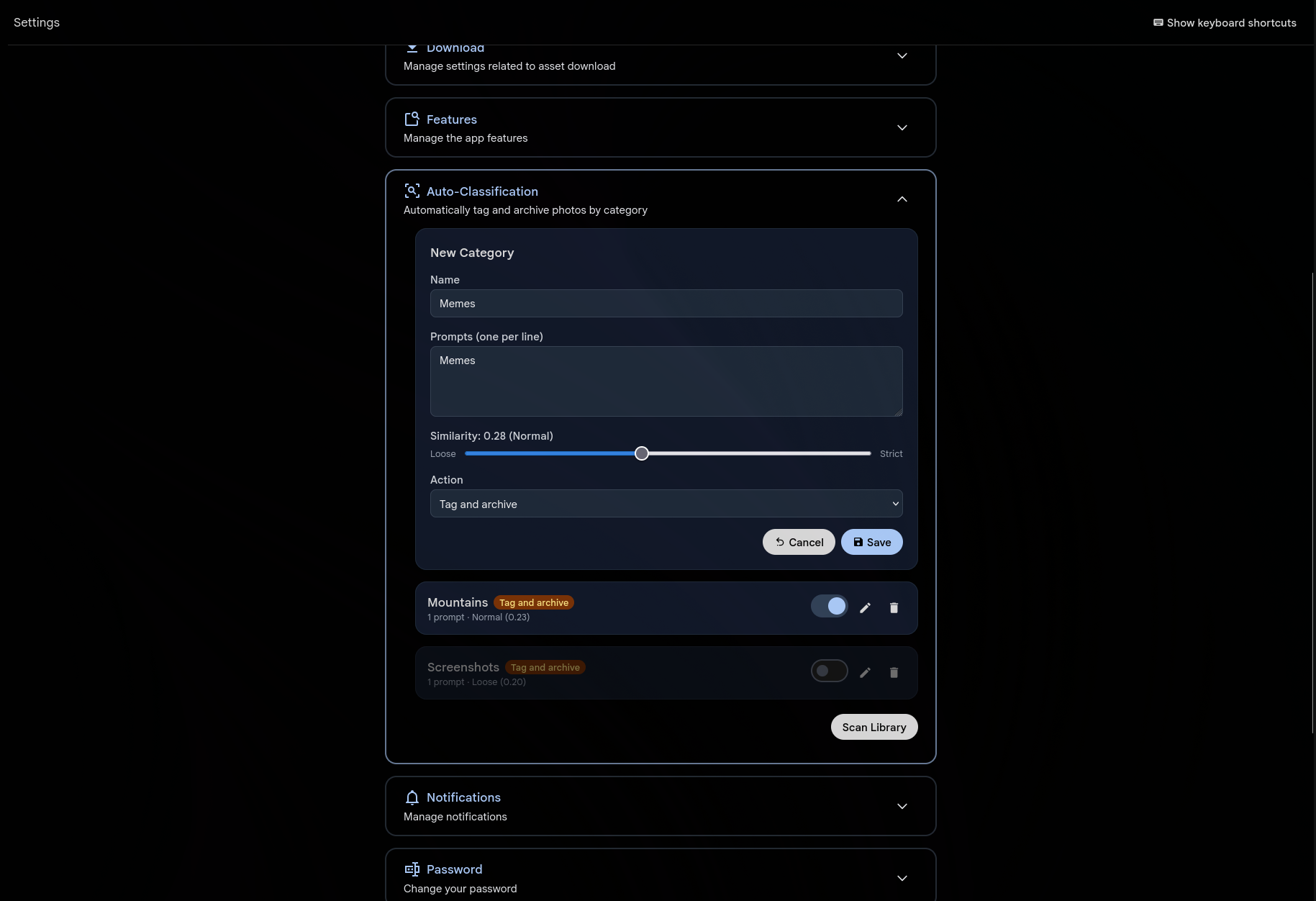
You decide what categories matter. "Screenshots", "Memes", "QR codes", "Receipts" — whatever clutters your timeline. For each category, write one or more text prompts that describe what those images look like. Gallery uses the same CLIP AI that powers smart search to compare every photo against your prompts.
When a photo matches, it gets tagged automatically under Auto/CategoryName. Want it off your timeline too? Set the action to "Tag and archive" and matching photos quietly move to your archive. No deletion, no data loss — just a cleaner view.
Works on every photo, past and future
New uploads are classified the moment their CLIP embedding is generated — the same pipeline that powers smart search and duplicate detection. No extra processing step, no waiting.
For your existing library, hit "Scan Library" and a background job classifies everything. Thousands of photos, handled in seconds. The same job queue you already use for thumbnails and transcoding.
Tuned to your tolerance
Each category has its own similarity threshold. Slide it toward "Loose" to catch more matches (with more false positives), or toward "Strict" to only tag high-confidence matches. The default sits at a sweet spot that works well for most categories.
Multiple prompts per category improve accuracy. Instead of just "screenshot", try adding "screenshot of a phone screen", "screenshot of a computer desktop", "screen capture with UI elements". More descriptions give the AI more angles to match from.
Per-user, not system-wide
Every user defines their own categories in User Settings. What one person considers clutter, another might treasure. Your "memes" category won't affect anyone else's library. Categories, thresholds, and actions are completely independent per account.
Built to grow: the current classifier uses CLIP text-to-image similarity, but the architecture supports adding new classification methods — OCR-based detection, EXIF matching, or dedicated models — as separate features down the line.